


拉取源码
打开科学上网,配置订阅,打开系统代理
idea配置代理
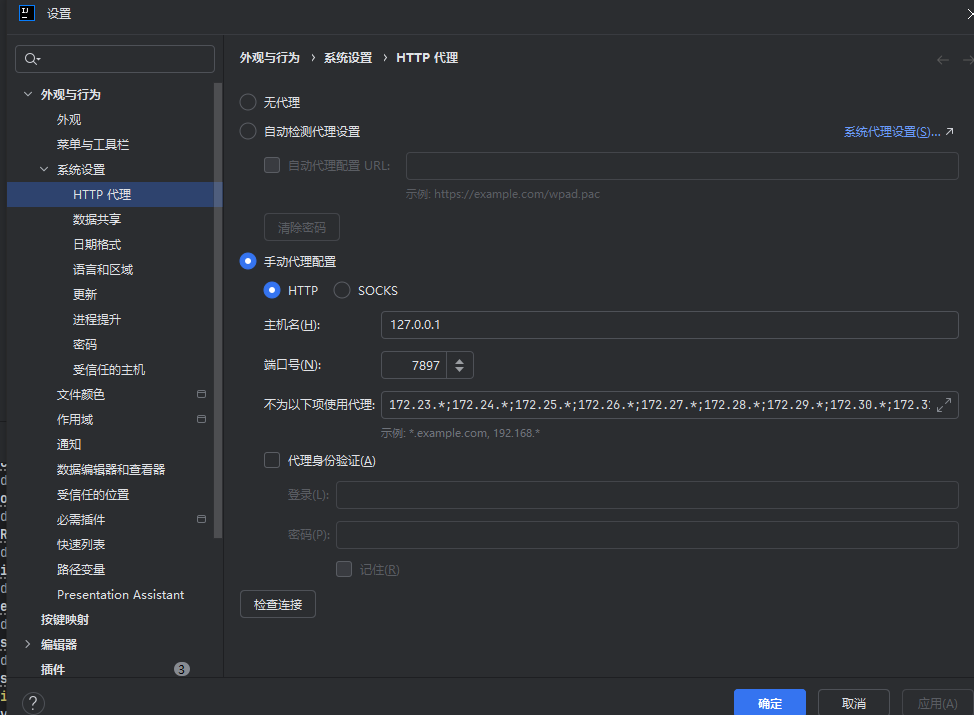
最新代码需要jdk11以上java环境,在此我安装了jdk17
拉取代码
https://github.com/geoserver/geoserver.git
配置maven
配置maven代理
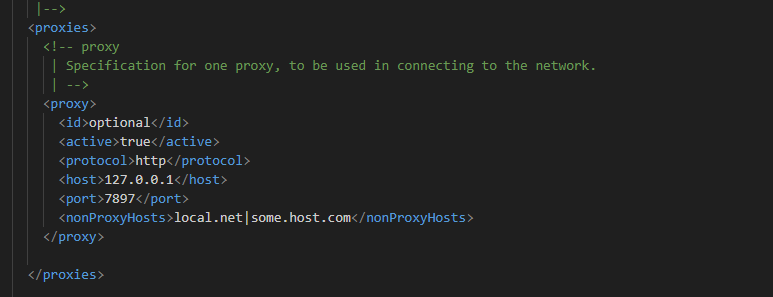
关闭阿里云镜像
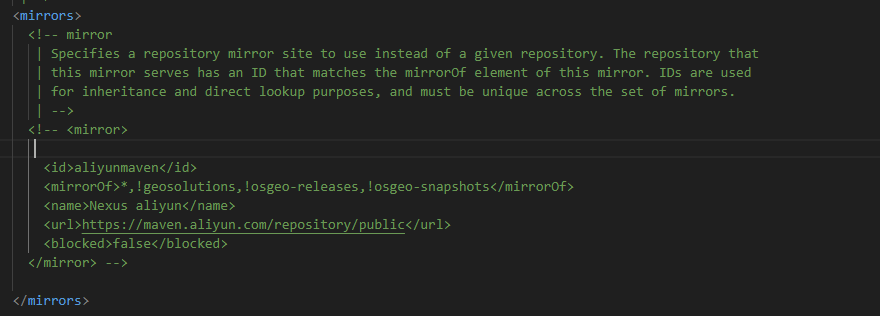
配置依赖
等待项目拉取依赖完成
拉取完成后运行mvn clean install等待执行完成
编辑运行配置
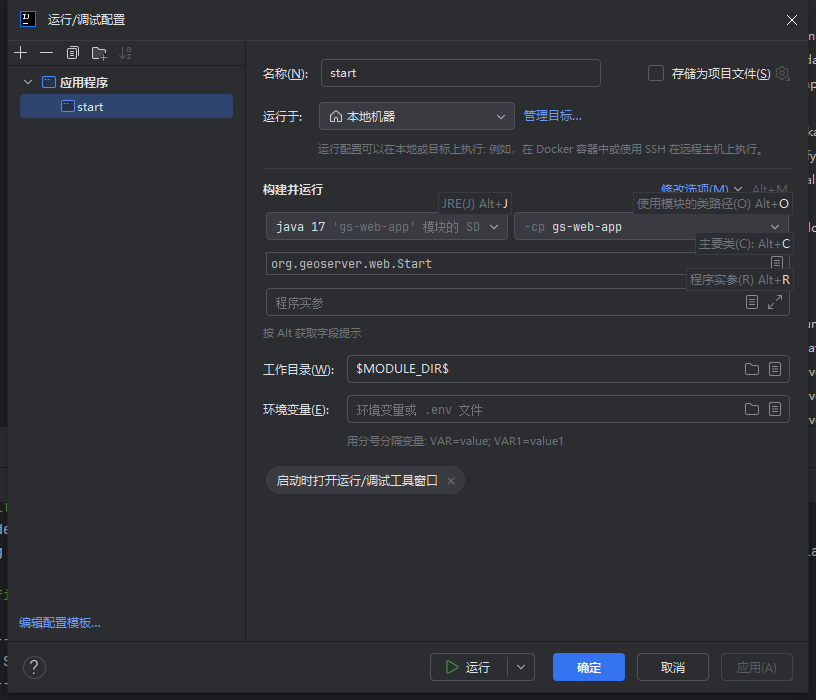
运行项目
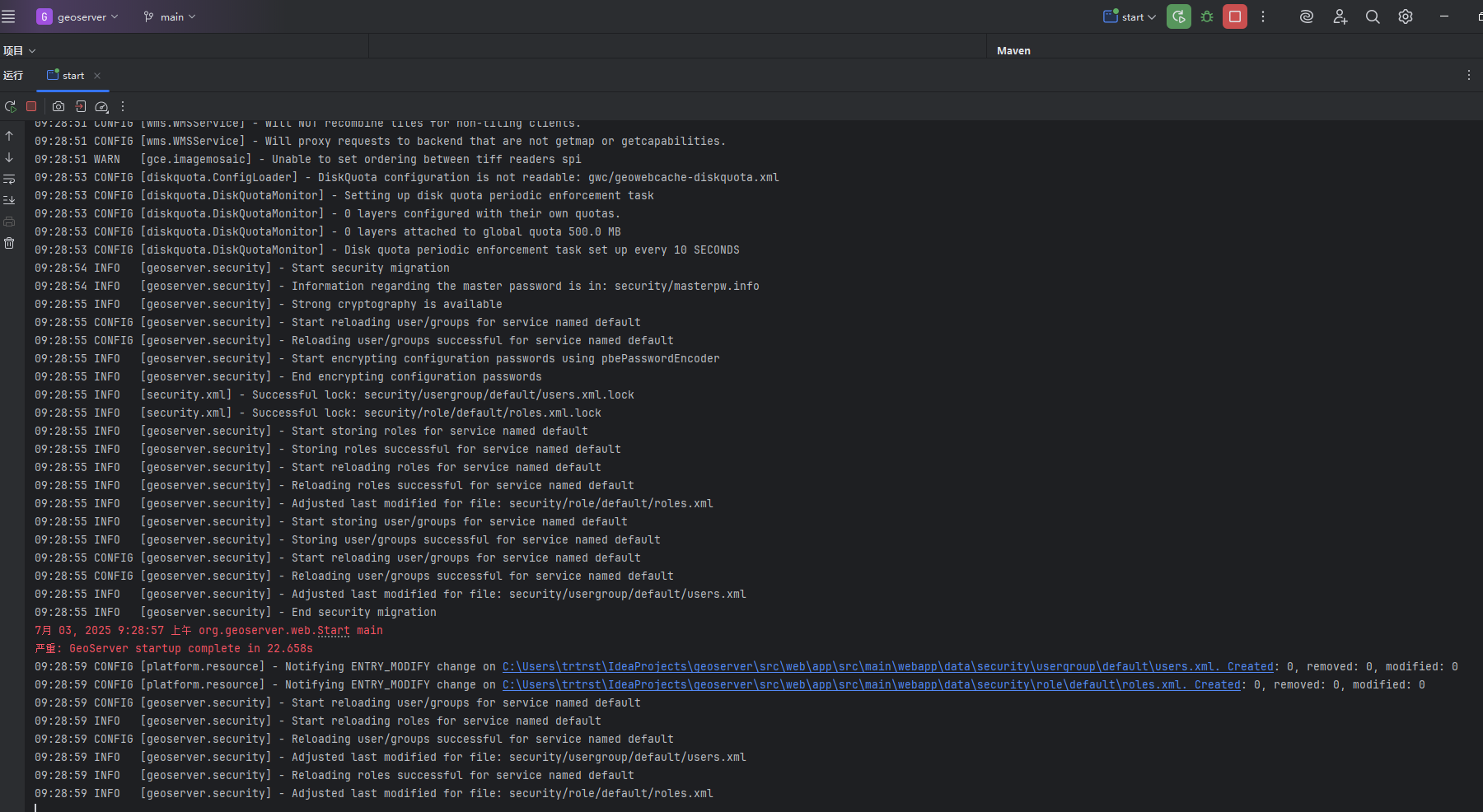
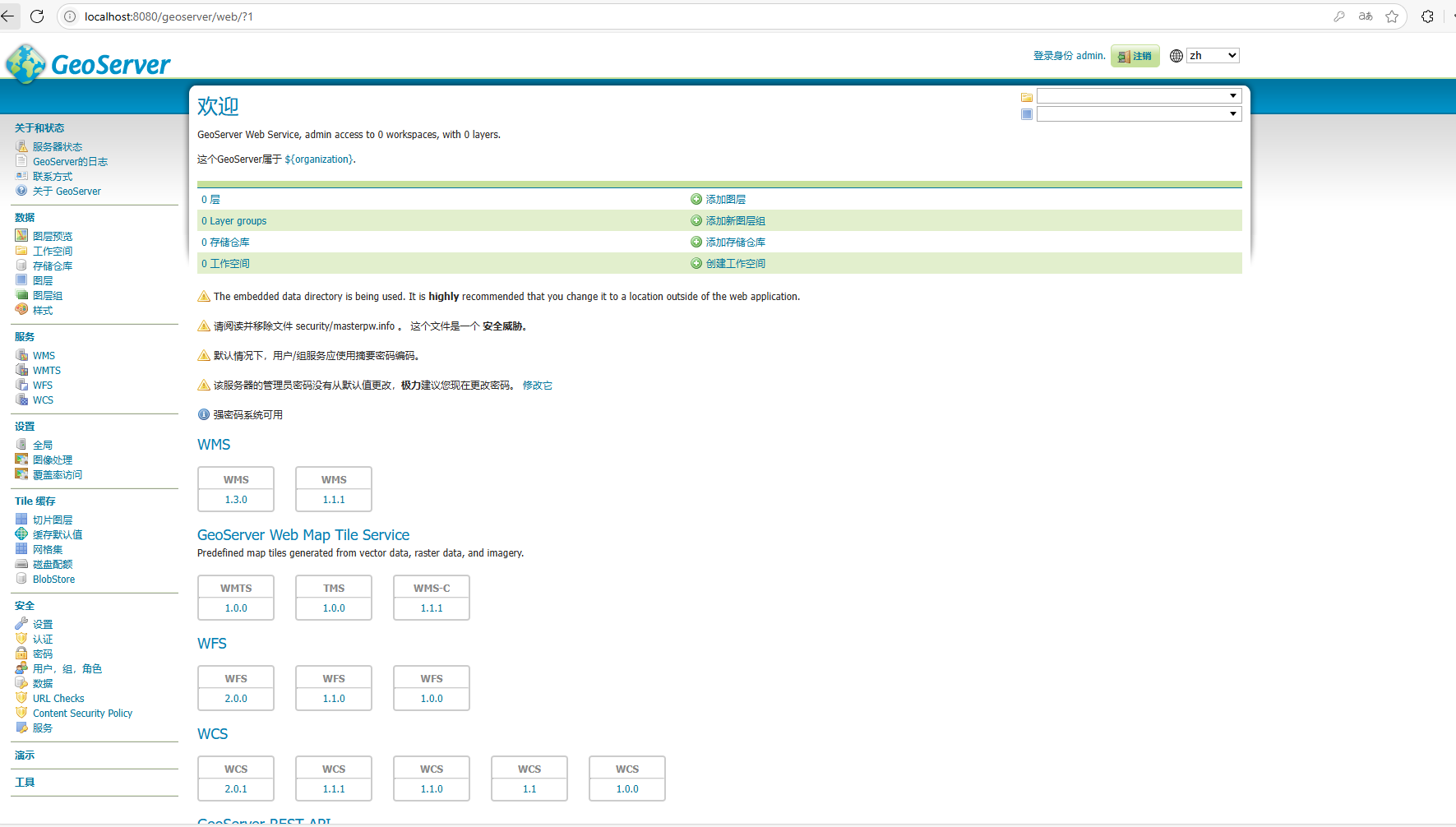
输入网址GeoServer: 欢迎访问
默认用户admin 密码geoserver
打包
由于需要在Tomcat 下运行
修改src/main/webapp/WEB-INF/web.xml文件
<?xml version="1.0" encoding="UTF-8"?>
<web-app
        xmlns="http://xmlns.jcp.org/xml/ns/javaee"
        xmlns:xsi="http://www.w3.org/2001/XMLSchema-instance"
        xsi:schemaLocation="http://xmlns.jcp.org/xml/ns/javaee http://xmlns.jcp.org/xml/ns/javaee/web-app_3_1.xsd"
        metadata-complete="false"
        version="3.1">
    <display-name>GeoServer</display-name>

    <context-param>
        <param-name>serviceStrategy</param-name>
        <!-- Meaning of the different values :

             PARTIAL-BUFFER2
             - Partially buffers the first xKb to disk. Once that has buffered, the
               result is streamed to the user. This will allow for most errors to be caught
               early.

             BUFFER
             - stores the entire response in memory first, before sending it off to
               the user (may run out of memory)

             SPEED
             - outputs directly to the response (and cannot recover in the case of an
               error)

             FILE
             - outputs to the local filesystem first, before sending it off to the user
          -->
        <param-value>PARTIAL-BUFFER2</param-value>
    </context-param>

    <context-param>
        <!-- see comments on the PARTIAL-BUFFER strategy -->
        <!-- this sets the size of the buffer.  default is "50" = 50kb -->

        <param-name>PARTIAL_BUFFER_STRATEGY_SIZE</param-name>
        <param-value>50</param-value>
    </context-param>

    <!--Can be true or false (defaults to: false). -->
    <!--When true the JSONP (text/javascript) output format is enabled -->
    <!--
    <context-param>
      <param-name>ENABLE_JSONP</param-name>
      <param-value>true</param-value>
    </context-param>
    -->
    <!--
    <context-param>
      <param-name>PROXY_BASE_URL</param-name>
      <param-value>http://82.58.146.45/geoserver</param-value>
    </context-param>
     -->

    <!--
   <context-param>
      <param-name>GEOSERVER_DATA_DIR</param-name>
       <param-value>C:\eclipse\workspace\geoserver_trunk\cite\confCiteWFSPostGIS</param-value>
   </context-param>
  -->

    <!-- pick up all spring application contexts -->
    <context-param>
        <param-name>contextConfigLocation</param-name>
        <param-value>classpath*:/applicationContext.xml classpath*:/applicationSecurityContext.xml</param-value>
    </context-param>

    <filter>
        <filter-name>FlushSafeFilter</filter-name>
        <filter-class>org.geoserver.filters.FlushSafeFilter</filter-class>
    </filter>

    <filter>
        <filter-name>Set Character Encoding</filter-name>
        <filter-class>org.springframework.web.filter.CharacterEncodingFilter</filter-class>
        <init-param>
            <param-name>encoding</param-name>
            <param-value>UTF-8</param-value>
        </init-param>
    </filter>

    <filter>
        <filter-name>SessionDebugger</filter-name>
        <filter-class>org.geoserver.filters.SessionDebugFilter</filter-class>
    </filter>

    <filter>
        <filter-name>filterChainProxy</filter-name>
        <filter-class>org.springframework.web.filter.DelegatingFilterProxy</filter-class>
    </filter>

    <filter>
        <filter-name>securityHeadersFilter</filter-name>
        <filter-class>org.geoserver.filters.SecurityHeadersFilter</filter-class>
    </filter>

    <filter>
        <filter-name>GZIP Compression Filter</filter-name>
        <filter-class>org.geoserver.filters.GZIPFilter</filter-class>
        <init-param>
            <!-- The compressed-types parameter is a comma-separated list of regular expressions.
                 If a mime type matches any of the regular expressions then it will be compressed.
                 -->
            <param-name>compressed-types</param-name>
            <param-value>text/.*,.*xml.*,application/json,application/javascript</param-value>
        </init-param>
    </filter>

    <filter>
        <filter-name>Advanced Dispatch Filter</filter-name>
        <filter-class>org.geoserver.platform.AdvancedDispatchFilter</filter-class>
        <!--
        This filter allows for a single mapping to the spring dispatcher. However using /* as a mapping
        in a servlet mapping causes the servlet path to be "/" of the request. This causes problems with
        library like wicket and restlet. So this filter fakes the servlet path by assuming the first
        component of the path is the mapped path.
        -->
    </filter>

    <filter>
        <filter-name>Spring Delegating Filter</filter-name>
        <filter-class>org.geoserver.filters.SpringDelegatingFilter</filter-class>
        <!--
        This filter allows for filters to be loaded via spring rather than
        registered here in web.xml.  One thing to note is that for such filters
        init() is not called. INstead any initialization is performed via spring
        ioc.
        -->
    </filter>

    <filter>
        <filter-name>Thread locals cleanup filter</filter-name>
        <filter-class>org.geoserver.filters.ThreadLocalsCleanupFilter</filter-class>
        <!--
        This filter cleans up thread locals Geotools is setting up for concurrency and performance
        reasons
        -->
    </filter>

    <!-- Uncomment following filter to enable CORS in Jetty. Do not forget the second config block further down. -->
    <!--
    <filter>
       <filter-name>cross-origin</filter-name>
       <filter-class>org.eclipse.jetty.servlets.CrossOriginFilter</filter-class>
       <init-param>
         <param-name>chainPreflight</param-name>
         <param-value>false</param-value>
       </init-param>
       <init-param>
         <param-name>allowedOrigins</param-name>
         <param-value>*</param-value>
       </init-param>
       <init-param>
         <param-name>allowedMethods</param-name>
         <param-value>GET,POST,PUT,DELETE,HEAD,OPTIONS</param-value>
       </init-param>
       <init-param>
         <param-name>allowedHeaders</param-name>
         <param-value>*</param-value>
       </init-param>
     </filter>
     -->

    <!-- Uncomment following filter to enable CORS in Tomcat. Do not forget the second config block further down. -->
    <filter>
       <filter-name>cross-origin</filter-name>
       <filter-class>org.apache.catalina.filters.CorsFilter</filter-class>
       <init-param>
         <param-name>cors.allowed.origins</param-name>
         <param-value>*</param-value>
       </init-param>
       <init-param>
         <param-name>cors.allowed.methods</param-name>
         <param-value>GET,POST,PUT,DELETE,HEAD,OPTIONS</param-value>
       </init-param>
       <init-param>
         <param-name>cors.allowed.headers</param-name>
         <param-value>*</param-value>
       </init-param>
    </filter>

    <!--
      THIS FILTER MAPPING MUST BE THE FIRST ONE, otherwise we end up with ruined chars in the input from the GUI
      See the "Note" in the Tomcat character encoding guide:
      http://wiki.apache.org/tomcat/FAQ/CharacterEncoding
    -->
    <filter-mapping>
        <filter-name>Set Character Encoding</filter-name>
        <url-pattern>/*</url-pattern>
    </filter-mapping>

    <!-- Uncomment following filter-mapping to enable CORS -->
    <filter-mapping>
        <filter-name>cross-origin</filter-name>
        <url-pattern>/*</url-pattern>
    </filter-mapping>

    <filter-mapping>
        <filter-name>FlushSafeFilter</filter-name>
        <url-pattern>/*</url-pattern>
    </filter-mapping>

    <filter-mapping>
        <filter-name>SessionDebugger</filter-name>
        <url-pattern>/*</url-pattern>
    </filter-mapping>

    <filter-mapping>
        <filter-name>GZIP Compression Filter</filter-name>
        <url-pattern>/*</url-pattern>
    </filter-mapping>

    <filter-mapping>
        <filter-name>securityHeadersFilter</filter-name>
        <url-pattern>/*</url-pattern>
    </filter-mapping>

    <!--
      If you want to use your security system comment out this one too
    -->
    <filter-mapping>
        <filter-name>filterChainProxy</filter-name>
        <url-pattern>/*</url-pattern>
    </filter-mapping>

    <filter-mapping>
        <filter-name>Advanced Dispatch Filter</filter-name>
        <url-pattern>/*</url-pattern>
    </filter-mapping>

    <filter-mapping>
        <filter-name>Spring Delegating Filter</filter-name>
        <url-pattern>/*</url-pattern>
    </filter-mapping>

    <filter-mapping>
        <filter-name>Thread locals cleanup filter</filter-name>
        <url-pattern>/*</url-pattern>
    </filter-mapping>

    <!-- general initializer, should be first thing to execute -->
    <listener>
        <listener-class>org.geoserver.GeoserverInitStartupListener</listener-class>
    </listener>

    <!-- logging initializer, should execute before spring context startup -->
    <listener>
        <listener-class>org.geoserver.logging.LoggingStartupContextListener</listener-class>
    </listener>

    <!--  spring context loader -->
    <listener>
        <listener-class>org.geoserver.platform.GeoServerContextLoaderListener</listener-class>
    </listener>

    <!--  http session listener proxy -->
    <listener>
        <listener-class>org.geoserver.platform.GeoServerHttpSessionListenerProxy</listener-class>
    </listener>

    <!-- request context listener for session-scoped beans -->
    <listener>
        <listener-class>org.springframework.web.context.request.RequestContextListener</listener-class>
    </listener>

    <!-- spring dispatcher servlet, dispatches all incoming requests -->
    <servlet>
        <servlet-name>dispatcher</servlet-name>
        <servlet-class>org.springframework.web.servlet.DispatcherServlet</servlet-class>
    </servlet>

    <!-- single mapping to spring, this only works properly if the advanced dispatch filter is
         active -->
    <servlet-mapping>
        <servlet-name>dispatcher</servlet-name>
        <url-pattern>/*</url-pattern>
    </servlet-mapping>

    <session-config>
        <cookie-config>
            <http-only>true</http-only>
            <!-- The Secure flag should be set on session cookies but is commented out by default since it -->
            <!-- will break non-HTTPS web UI access and may cause problems with some proxy configurations. -->
            <!-- Uncomment the following line to add the Secure flag to session cookies. -->
            <!-- <secure>true</secure> -->
        </cookie-config>
        <tracking-mode>COOKIE</tracking-mode>
    </session-config>

    <mime-mapping>
        <extension>xsl</extension>
        <mime-type>text/xml</mime-type>
    </mime-mapping>
    <mime-mapping>
        <extension>sld</extension>
        <mime-type>text/xml</mime-type>
    </mime-mapping>
    <mime-mapping>
        <extension>json</extension>
        <mime-type>application/json</mime-type>
    </mime-mapping>
    <mime-mapping>
        <extension>yaml</extension>
        <mime-type>text/plain</mime-type>
    </mime-mapping>

    <welcome-file-list>
        <welcome-file>index.html</welcome-file>
    </welcome-file-list>

</web-app>
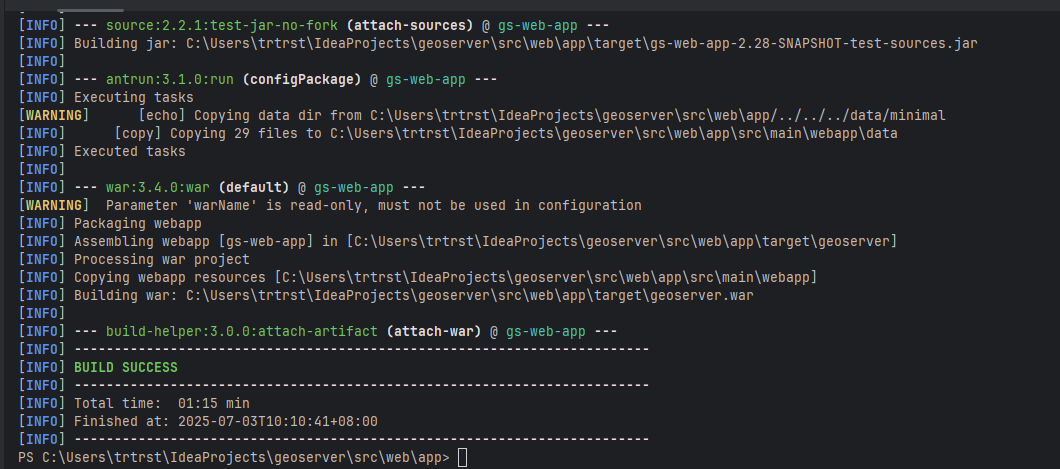
运行mvn clean package
启动Tomcat
下载Tomcat 9
GeoServer 应用仍在使用旧的 javax.servlet.* 包(Servlet 4.0 或更早),但 Tomcat 11 使用的是 Jakarta EE 9+ 规范,其中包名已经从 javax.* 迁移到 jakarta.*,故使用Tomcat 9
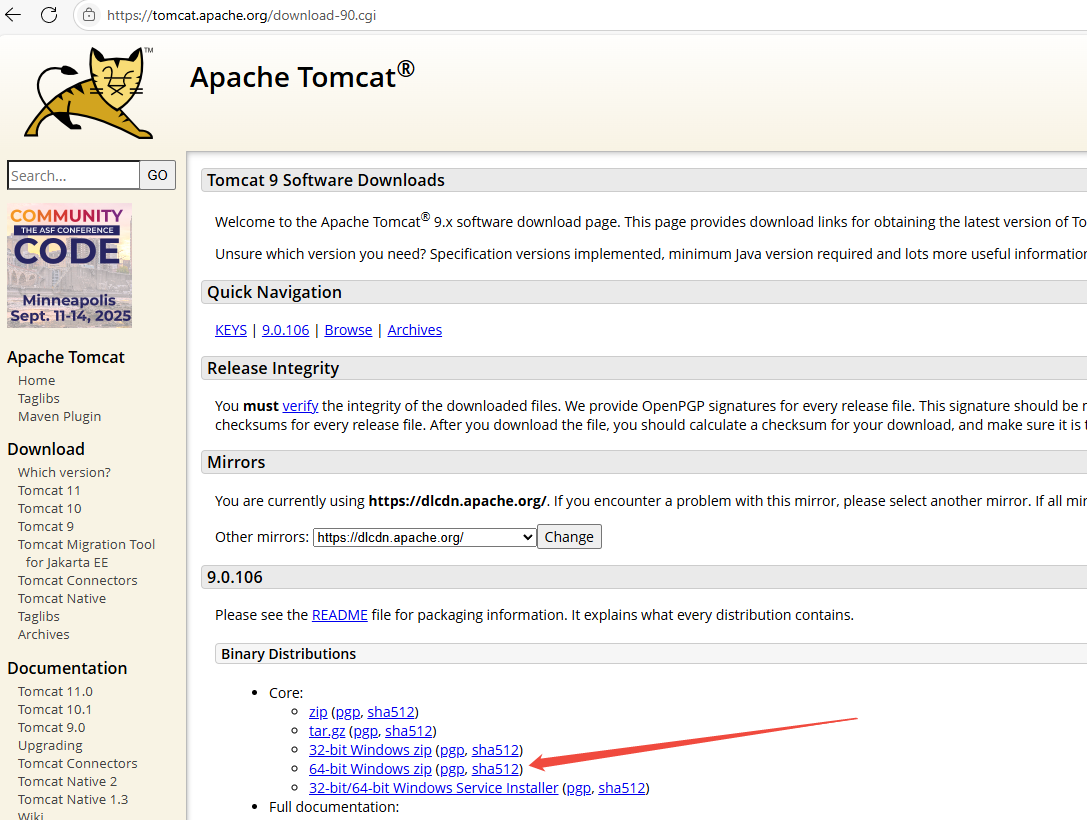
将打包好的war包放入apache-tomcat-9.0.106\webapps下
配置apache-tomcat-9.0.106\conf\server.xml
添加 <Context path="/geoserver" docBase="geoserver.war" reloadable="true"/>
<Host name="localhost" appBase="webapps"
unpackWARs="true" autoDeploy="true">
<!-- SingleSignOn valve, share authentication between web applications
Documentation at: /docs/config/valve.html -->
<!--
<Valve className="org.apache.catalina.authenticator.SingleSignOn" />
-->
<Context path="/geoserver" docBase="geoserver.war" reloadable="true"/>
<!-- Access log processes all example.
Documentation at: /docs/config/valve.html
Note: The pattern used is equivalent to using pattern="common" -->
<Valve className="org.apache.catalina.valves.AccessLogValve" directory="logs"
prefix="localhost_access_log" suffix=".txt"
pattern="%h %l %u %t "%r" %s %b" />
</Host>配置日志编码apache-tomcat-9.0.106\conf\logging.properties
java.util.logging.ConsoleHandler.level = ALL
java.util.logging.ConsoleHandler.formatter = org.apache.juli.OneLineFormatter
# java.util.logging.ConsoleHandler.encoding = UTF-8
java.util.logging.ConsoleHandler.encoding = GBK
启动Tomcat 9 运行apache-tomcat-9.0.106\bin\startup.bat
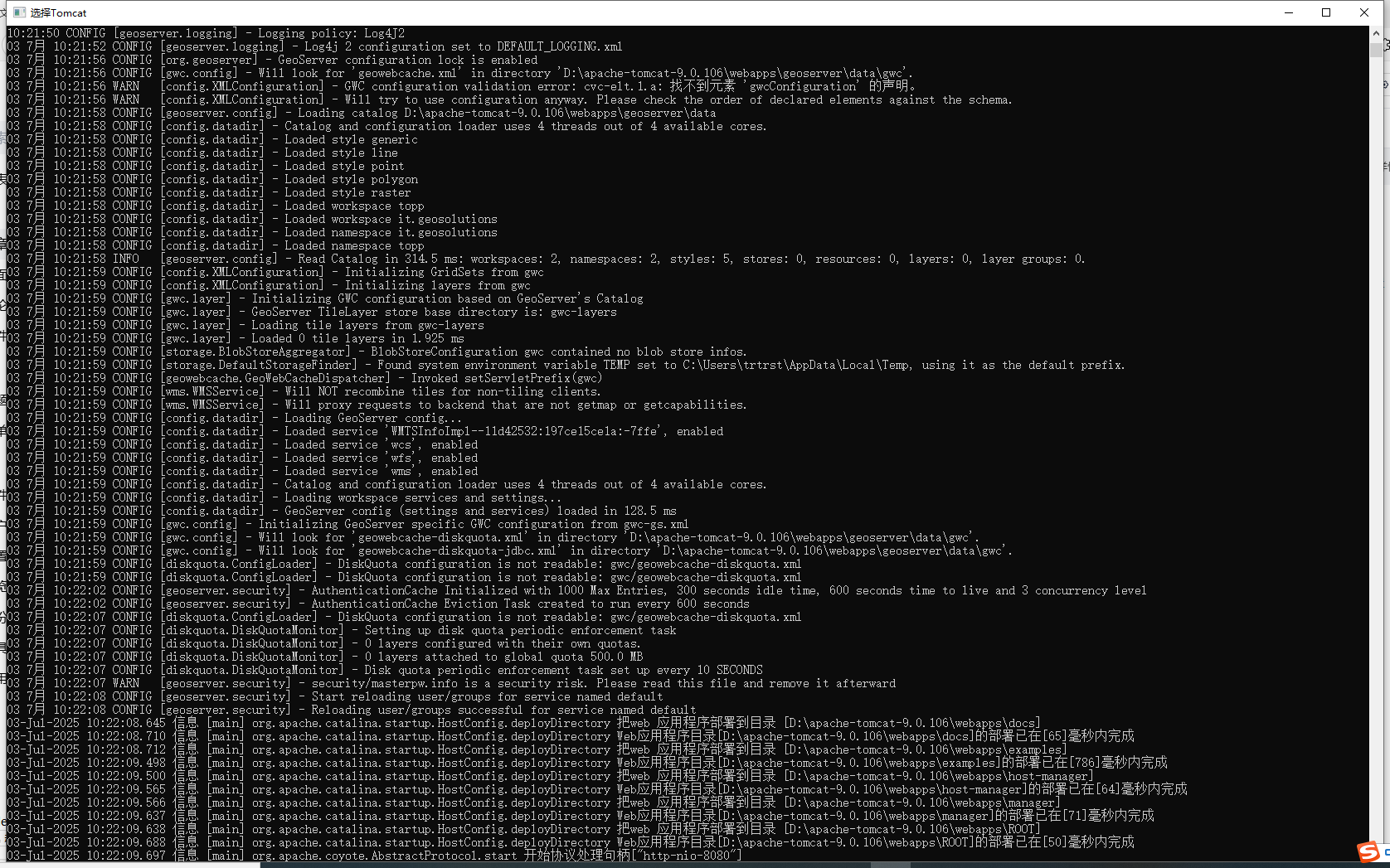
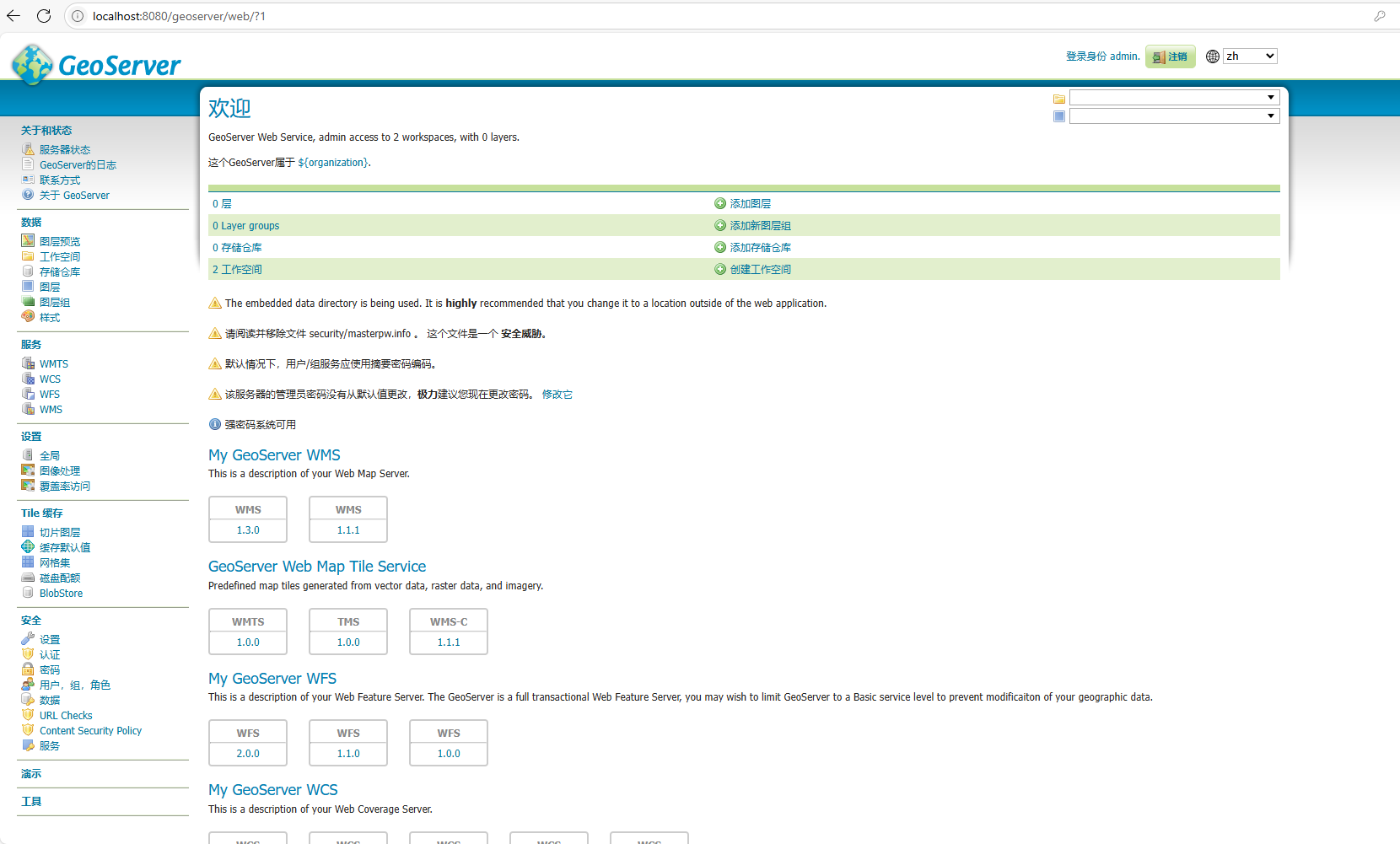
访问GeoServer: 欢迎正常进入
登录正常
Comments